
968
3
MineChatGPT




Chat with ChatGPT in Minecraft
All code is written by ChatGPT
Features
- OpenAI API format
- Custom models
- ChatGPT reverse proxy
- Load balancing
- Command completion
- Contextual chat
- Multiple characters
- Folia support
Installation
- Download the plugin and place it in the plugins folder
- Restart the server
For better compatibility across versions, the plugin doesn't specify Bukkit API version. When loading the plugin on newer versions, you may see these warnings in console - this is normal.
[Server thread/WARN]: Initializing Legacy Material Support. Unless you have legacy plugins and/or data this is a bug!
[Server thread/WARN]: Legacy plugin MineChatGPT v1.0 does not specify an api-version.
- Edit
config.yml:
# ======================================================
# API Configuration
# ======================================================
api:
  # Your OpenAI API keys for authentication
  # Get API keys at https://platform.openai.com/account/api-keys
  keys:
    - "sk-your_openai_api_key_1"
    # Add multiple API keys below
    # - "sk-your_openai_api_key_2"
    # - "sk-your_openai_api_key_3"

  # API key selection method: "round_robin" or "random"
  selection_method: "round_robin"

  # Base URL for OpenAI API
  # Use proxy service if you cannot access official API
  base_url: "https://api.openai.com/v1"
- Run
/chatgpt reloadin console to reload config
Commands & Permissions
| Command | Permission | Description |
|---|---|---|
/chatgpt | minechatgpt.use | Show help |
/chatgpt <text> | minechatgpt.use | Ask ChatGPT |
/chatgpt reload | minechatgpt.reload | Reload config |
/chatgpt model <model_name> | minechatgpt.model | Switch model |
/chatgpt modellist | minechatgpt.modellist | List available models |
/chatgpt context | minechatgpt.context | Toggle context mode |
/chatgpt clear | minechatgpt.clear | Clear chat history |
/chatgpt character [character_name] | minechatgpt.character | List or switch character |
FAQ
Getting "Failed to contact ChatGPT." error
Check the error message in console.
Console shows "connect timeout" or "connect reset"
Verify connectivity to the base_url in config.yml. Consider using a reverse proxy if you cannot access OpenAI's official API.
Can I add other models?
Yes, any model supporting OpenAI API format works.
Not recommended for inference models due to longer response times.
Can I use without ChatGPT account?
Yes, many proxy services provide access.
Folia support?
The plugin should work on Folia but isn't optimized for it. Use at your own risk.
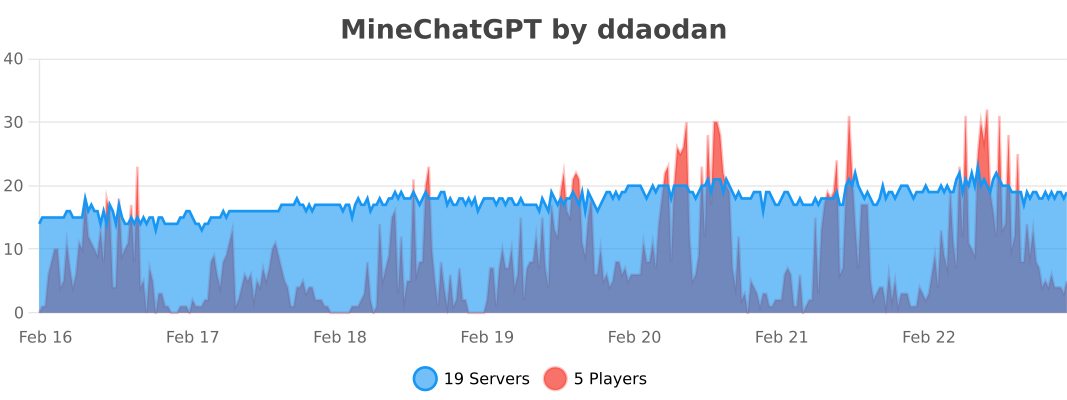
Statistics
Совместимость
Создатели

Детали
Лицензия:AGPL-3.0-only
Опубликован:1 год назад
Обновлён:2 месяца назад