EssentialX GUI
EGUI is a powerful, highly customizable GUI for EssentialsX Homes and Warps.
👑 EGUI (EssentialsGui) v1.2
EGUI is a powerful, highly customizable GUI for EssentialsX Homes and Warps. It provides a clean, modern interface for players to manage their homes and teleport to server warps without needing to remember long lists of commands.
🚧 Development & Support
EGUI is currently in active development! Many more features, flexible layouts, and extended customization options are planned for future updates.
If you need support, want to report an issue, or have a great idea for a new feature you'd like to see added, please join our Discord Server! We would love to hear your feedback and suggestions.
Special thanks to WesJD's AnvilGUI for providing the amazing foundation for text inputs used in /adminhomes and the Set Home GUIs!
🛑 Prerequisites (Mandatory)
EGUI is a companion plugin for EssentialsX. It will not function without it.
- EssentialsX: Download Here - Mandatory for home and warp data storage.
- Java 21: The plugin is built targeting Java 21.
🚀 Features
- 🛡️ EssentialsX Integration: Seamlessly reads and manages homes and warps directly from EssentialsX data.
- 🛏️ Adaptive Home GUI: Automatically displays the correct number of set and empty home slots based on the player's max home permissions.
- 📐 Customizable Layouts: Choose between a full
THREE_ROWS(with borders) or a compactONE_ROWstyle. - 🎨 Full Customization: Every item, message, and layout is fully configurable in
config.yml. - 🏠 Custom Home Icons: Players can personalize their homes by setting custom material icons.
- ⌨️ Set Home GUI (v1.2): Click an empty bed slot to type your new home's name seamlessly via AnvilGUI!
- 🛡️ Admin Panel (v1.2): Search and manage offline players' homes with the new
/adminhomescommand. - 🎛️ Extensive Toggles (v1.2): Toggle the core
/homesor/warpscommands, the set home GUI, and deletion confirmations easily in exactly one config! - 📡 Custom Warp Icons: Assign unique items, names, and lore to specific warps in
warps.yml. - 🗑️ Safe Deletion: Integrated confirmation GUI for home deletions to prevent accidents (toggleable!).
- 🔄 Live Reload: Update your configurations on the fly with
/egui reload. - 📡 Status Dashboard: Check Essentials connectivity and version status via
/egui status. - 🔔 Update Checker: Automatically notifies admins of new releases.
📋 Commands & Permissions
Commands & Permissions
| Command | Description | Permission | Default |
|---|---|---|---|
/homes | Opens the Homes GUI | egui.homes | Everyone |
/sethomeicon <home> <material> | Sets a custom item icon for your home | egui.sethomeicon | Everyone |
/adminhomes | Opens the Admin Panel to manage player homes | egui.admin | OP |
/warps | Opens the Warps GUI | egui.warps | Everyone |
/egui reload | Reloads all configurations | egui.reload | OP |
/egui status | Displays plugin status and version info | egui.status | OP |
⚙️ Configuration (config.yml)
config.yml
# ==============================================================================
#  EGUI Configuration
# ==============================================================================

# Path to the Essentials userdata and warps folders.
essentials-userdata-folder: "plugins/Essentials/userdata"
warps-folder: "plugins/Essentials/warps"

# ==============================================================================
#  GUI Appearance
# ==============================================================================
# Options:
#   THREE_ROWS: A 9x3 GUI with top/bottom glass borders (as in screenshot).
#   ONE_ROW:    A compact 9x1 GUI containing only the functional row.
gui-style: ONE_ROW

# Background filler item used for all GUIs
background-item:
  material: BLACK_STAINED_GLASS_PANE
  name: ""


# Navigation buttons
item-for-previous-page:
  material: ARROW
  name: "&ePrevious Page"
  lore:
    - "&aLeft-Click to go to the Previous Page"

item-for-next-page:
  material: ARROW
  name: "&eNext Page"
  lore:
    - "&aLeft-Click to go to the next page"

# ==============================================================================
#  Homes GUI Settings
# ==============================================================================
gui-titles:
  homes: "&8Your homes"
  warps: "&8Server Warps"

# Item representing a set home
item-for-home:
  material: RED_BED
  name: "&e%home%"
  lore:
    - "&7World: &f%world%"
    - "&7X: &f%x% &7Y: &f%y% &7Z: &f%z%"
    - ""
    - "&aLeft-Click to Teleport"
    - "&cRight-Click to Delete"

# Item representing an available but unset home slot
item-for-empty-home:
  material: GRAY_BED
  name: "&8Empty Home Slot"
  lore:
    - "&7You can set a home here"
    - "&7using &f/sethome <name>&7."

# ==============================================================================
#  Warps GUI Settings
# ==============================================================================

# Default template for warps (if not customized in warps.yml)
default-item-for-warp:
  material: ENDER_PEARL
  name: "&e%warp%"
  lore:
    - "&7Click to teleport to %warp%."

# ==============================================================================
#  Confirm Deletion GUI
# ==============================================================================
confirm-gui:
  # Filling empty slots in the 9-slot confirmation menu
  fill-background: true
  background-material: BLACK_STAINED_GLASS_PANE
  background-name: " "

  # The "Yes" button
  confirm-item:
    material: LIME_WOOL
    name: "&aConfirm Deletion"
    lore:
      - "&7Click to permanently delete"

  # The "No" button
  cancel-item:
    material: RED_WOOL
    name: "&cCancel"
    lore:
      - "&7Go back to your homes list."

# ==============================================================================
#  Features
# ==============================================================================
features:
  allow-custom-home-icons: true
  enable-homes-command: true
  enable-warps-command: true
  enable-set-home-gui: true
  delete-home-confirmation: true
  admin-search-exact-match: false

# ==============================================================================
#  Messages
# ==============================================================================
messages:
  no-homes: "&cYou do not have any homes set."
  no-warps: "&cThere are no warps set."
  deleted: "&cDeleted home &e%home%&c."
  confirm-delete-title: "&4Delete %home%?"
  no-permission: "&cYou do not have permission to use this command."
  only-players: "&cOnly players can use this command."
  reload-success: "&aEGUI configuration reloaded!"
  usage: "&eUsage: /egui reload"
  invalid-home: "&cThat home does not exist."
  invalid-material: "&cInvalid item name."
  icon-set-success: "&aSuccessfully set the icon for &e%home%&a to &e%material%&a."
  icons-disabled: "&cCustom home icons are disabled."
  feature-disabled: "&cThis feature is currently disabled."
  sethome-success: "&aYour new home &e%home%&a was added!"
  sethome-invalid-name: "Enter a valid name"
  sethome-no-spaces: "No spaces allowed"
  player-not-found: "&cPlayer not found."
  admin-teleport-home: "&aTeleported to &e%player%&a's home: &e%home%&a."
  admin-delete-home: "&cDeleted &e%player%&c's home: &e%home%&c."
  admin-confirm-delete-title: "&4Delete &e%player%'s &4%home%?"
  admin-player-head-lore: "&7Click to view homes"

# ==============================================================================
#  Admin Panel Items
# ==============================================================================
admin-panel-items:
  background-item:
    material: BLACK_STAINED_GLASS_PANE
    name: " "
    lore: []
  search-online-button:
    material: NAME_TAG
    name: "&aSearch Online Player"
    lore:
      - "&7Click here to filter"
      - "&7all online players."
  search-offline-button:
    material: COMPASS
    name: "&cSearch Offline Player"
    lore:
      - "&7Click here to find"
      - "&7a specific offline player."
  back-button:
    material: BARRIER
    name: "&cBack to Admin Panel"
    lore: []
⚙️ Configuration Example: Customizing a Warp
To give the warp "spawn" a unique icon, add this to warps.yml:
warps:
  spawn:
    material: NETHER_STAR
    name: "&b&lSpawn"
    lore:
      - "&7Return to the main spawn."
🛠️ Installation
- Download the
EGUI-X.X.jarfile. - Ensure you have EssentialsX already installed and running on your server.
- Place the
EGUI-X.X.jarinto your server'spluginsfolder. - Restart your server (or use a plugin loader) to generate the configuration files.
- Configure the
plugins/EGUI/config.ymlto match your server's aesthetic. - Optional: Add custom warp icons in
plugins/EGUI/warps.yml. - Type
/egui reloadin-game to apply any changes!
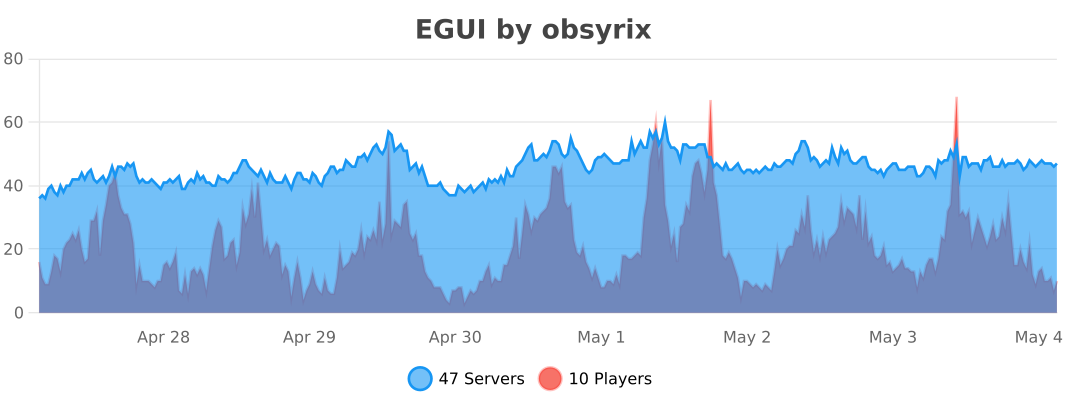
📈 Stats
Added the 03/19/2026