
128
7
ABOUT
Block Display Vanilla Maker - plugin that allows you to use Block Display, introduced since version 1.19.4, on the server with survival, without command blocks! Supported versions: 1.19.4 - 1.21.5 and higher.
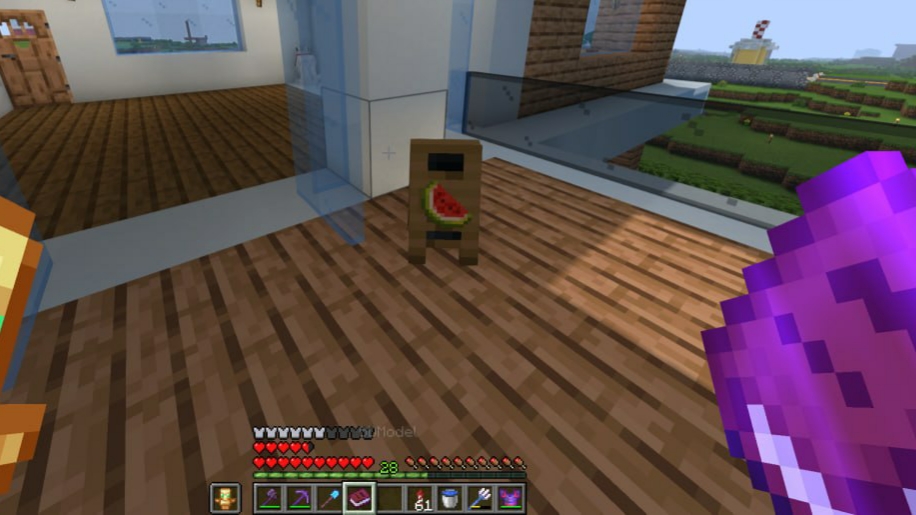
The mechanics of adding Block Display to the world are simple:
- Create a model in BDEngine.
- Copy command
- Insert a command into a book (mod for text insertion: Textbook and its library Fireplace Lib)
- Sign the book under the name “BDModel” (you can disable this check in the plugin config).
- Hold the book in your right hand and command /bdvm create.
Video guide:
Limitation:
- A command longer than 100 pages can crash the client game.
- Move, rotate, resize cannot be changed.
Commands:
- Create BD: /bdvm create
- Delete BD: /bdvm delete [distance]
- Restart the plugin: /bdvm reload
Resolution:
- bdvm.create - to use /bdvm create
- bdvm.remove - to use /bdvm remove
- bdvm.reload - to use /bdvm reload
p.s. Most likely the plugin will not be updated, so it is covered by the MIT license, you can modify it according to your needs.
Совместимость
Создатели

Детали
Лицензия:MIT
Опубликован:10 месяцев назад
Обновлён:10 месяцев назад