Tools On My Back (TOMB)
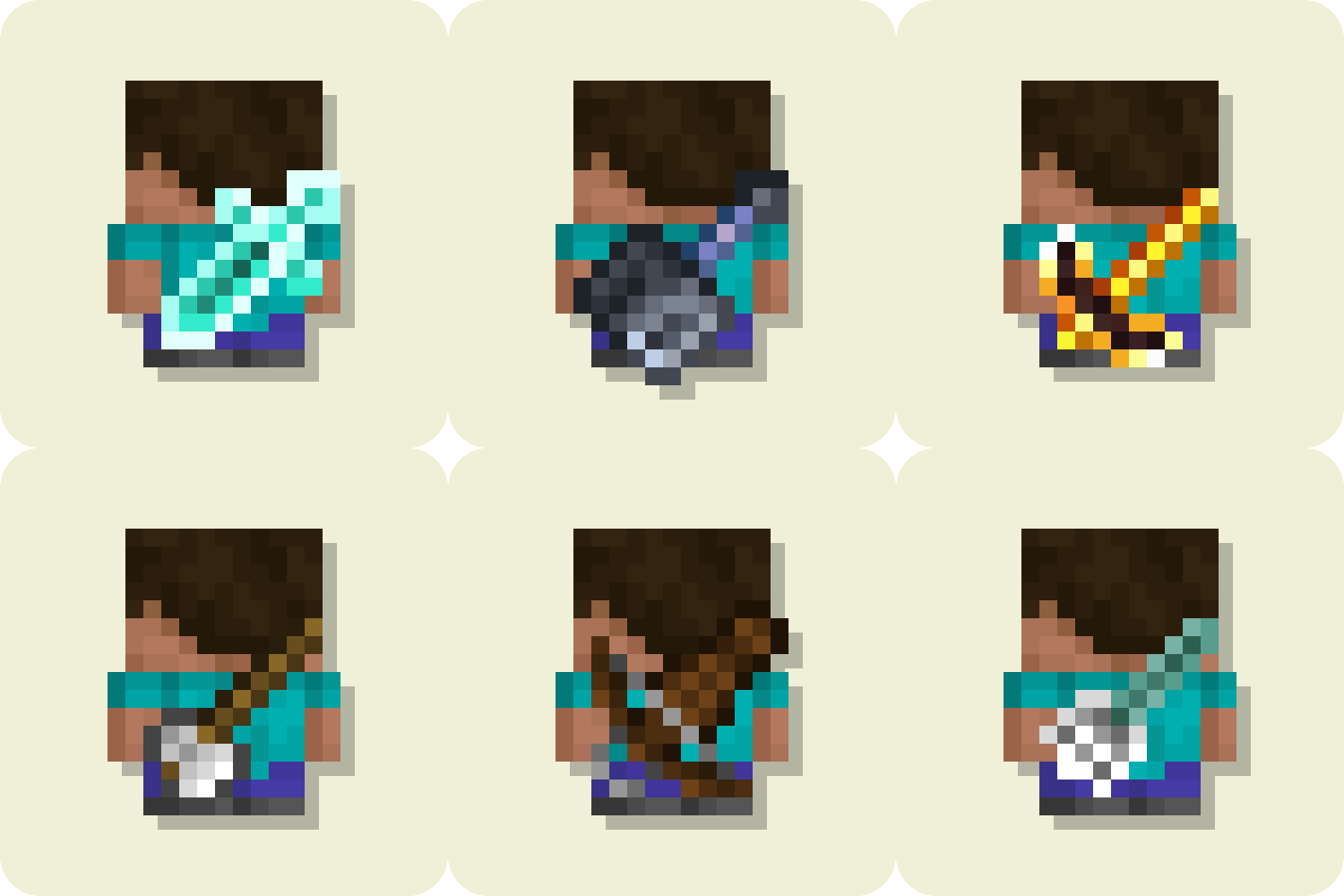
Visually displays the last used tool on the player's back. Adds immersion and style to your adventures, giving you the look of a seasoned traveler.

|


|


Tools On My Back — A client-side mod that visually displays the last used tool on the player's back. Adds immersion and style to your adventures, giving you the look of a seasoned traveler.
Showcase


Mod Compatibility
- Works seamlessly with other popular mods.

Multiplayer Friendly
- Fully client-side — visible only to you.

Custom Models (Resource Packs)
- Supports resource packs with custom models.


Right/Left Hand Support
Hands Showcase
Right Hand
Left Hand


Settings

Simple Configuration File
The configuration file can be found at:
/config/tools-on-my-back.json5
{
 "enableMod": true,
 "renderWithCape": true,
 "renderWithElytra": true,
 "tools": [
   {
     "enabled": false,
     "itemId": "minecraft:diamond_sword",
     "group": "BACK",
     "is3DModel": false,
     "scale": 1,
     "angle": 0,
     "offsetX": 0.0,
     "offsetY": 0.0,
     "offsetZ": 0
   },
   {
     "enabled": true,
     "itemId": "farmersdelight:skillet",
     "group": "BACK",
     "is3DModel": true,
     "scale": 1.2,
     "angle": 157.5,
     "offsetX": 0.0,
     "offsetY": 0.0,
     "offsetZ": -0.040625
   },
   {
   // YOUR ITEMS
   }
 ]
}
⚙️ Note:
Most basic settings (like enabling the mod or rendering with a cape/elytra) can be configured in-game via the YACL menu.
However, adding or modifying items in the tools list currently requires manual editing of the .json5 config file (see below).
Full YACL support for tool configuration is still in development.
Parameter Description itemId The full item ID (e.g. minecraft:diamond_swordormy_mod:my_item).group Currently only "BACK"— doesn’t affect behavior yet.is3DModel Set to truefor 3D item models (like a shield).scale Controls the overall size of the displayed item. angle Rotation angle of the item (in degrees). offsetX
offsetY
offsetZAdjusts item position relative to the player’s back.


Want to support mod and authors? Just tell everyone about this mod!
Yeah, you got it right. Just by advertising, you will support the mod and the creators well. The more people will know about this mod, the more downloads it will have, more downloads will give good motivation to authors and increase income from the site (literally free donation). Remember, advertising must not be intrusive and annoiyng!
What you can do?
- Make a video review / advertisement
- Share it on social media or Discord
- Tell your friends about this mod
- Add it to your modpack or just download and enjoy the game
Every mention matters — thank you for helping the community grow 🤍

