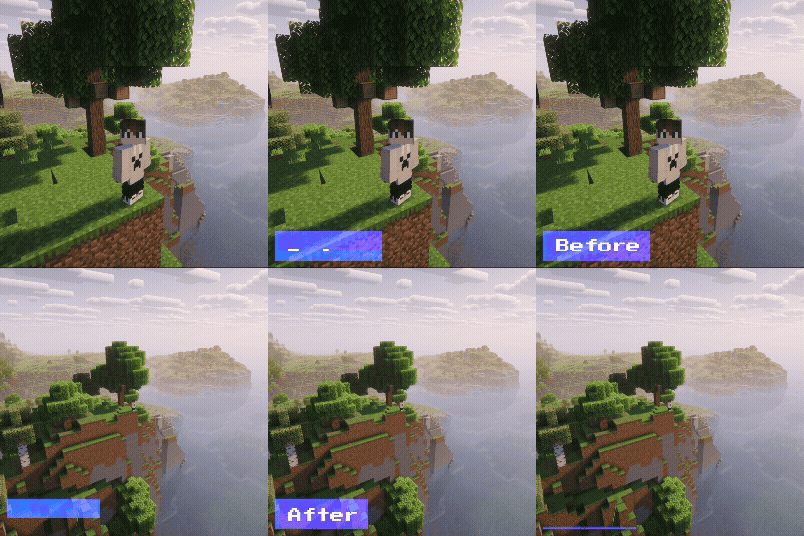

Third Person (F5)
An extremely lightweight and simple third-person view mod
Third Person Mod
A Fabric mod that allows you to customize the camera distance in Minecraft’s third-person view (toggled with the F5 key). You can freely adjust the camera distance, and optionally disable the automatic camera zoom-in that occurs when the camera collides with blocks or walls—allowing the camera to clip through and maintain its position.
Main Features
Adjustable Camera Distance
Freely set the distance between the player and the camera in third-person view.
The default value is 4.0.
Clip Through Blocks
Normally, when a wall or block is behind the player, the camera moves closer.
When this setting is enabled, the camera will ignore blocks and maintain its distance.
Useful for taking screenshots in tight spaces or checking builds.
Requirements
This mod requires the following mods:
- Fabric Loader
- Fabric API
- Simple GUI API
- Mod Menu
How to Configure
- If Mod Menu is installed, you can change settings in-game.
- From the title screen or pause menu, click the Mods button.
- Search for "Third Person" in the mod list and select it.
- Click the settings icon.
Configuration Options
Camera Distance:
Adjust the camera distance using a slider or numeric input.
Clip Through Blocks:
Set to True to allow the camera to clip through walls.
Copyright (c) 2025 MichiJP. All Rights Reserved.


